Code Review - Tech Stack
This guide explains how to personalize CloudAEye’s behavior with additional context on technologies used in a repository.
Overview
You can point CloudAEye to the existing docs of your tech stack, and CloudAEye will use the information as context when reviewing your PRs.
Prerequisites
Step 1: Register
Sign up with CloudAEye SaaS.
Step 2: Setup Code Review
Setup Code Review by following the Getting Started guide.
Configure
From Code Review Home, select the repositories icon on the top right corner. This will open the GitHub Repositories page.
Alternatively, you may select Integrations from left navigation of Code Review. Click on Repos button under GitHub to go to the GitHub Repositories page.
You will see all the configured GitHub repositories.
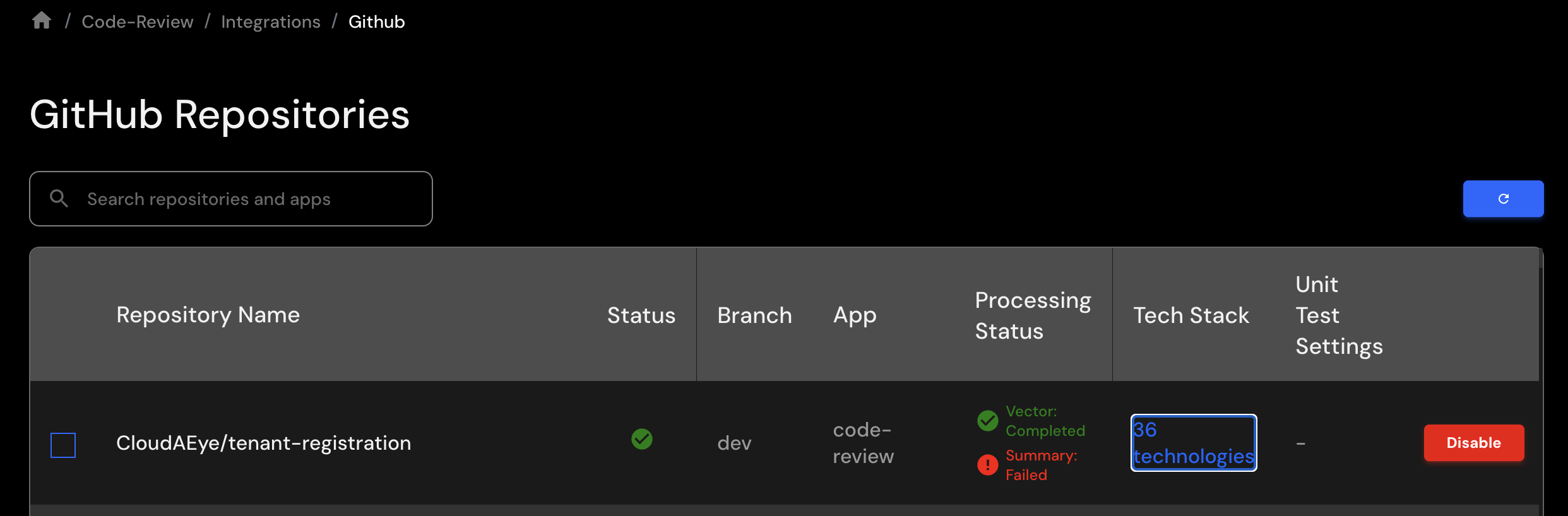
Click on the hyperlink under Tech Stack column for a repository that you want to configure.
You will see a page that shows all the technologies used in this repository.
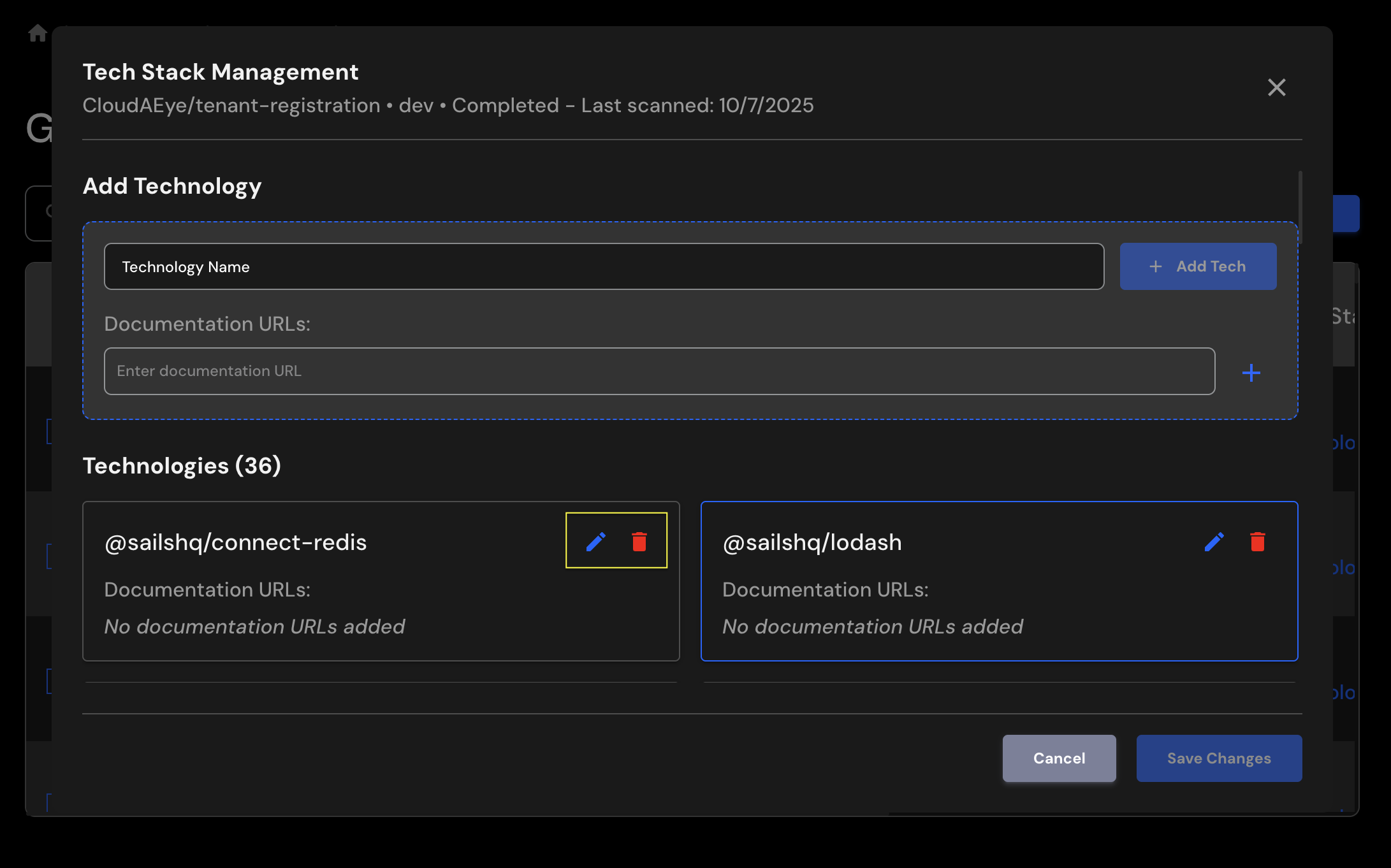
Click on the pencil icon to add the documentation URL of a technology.
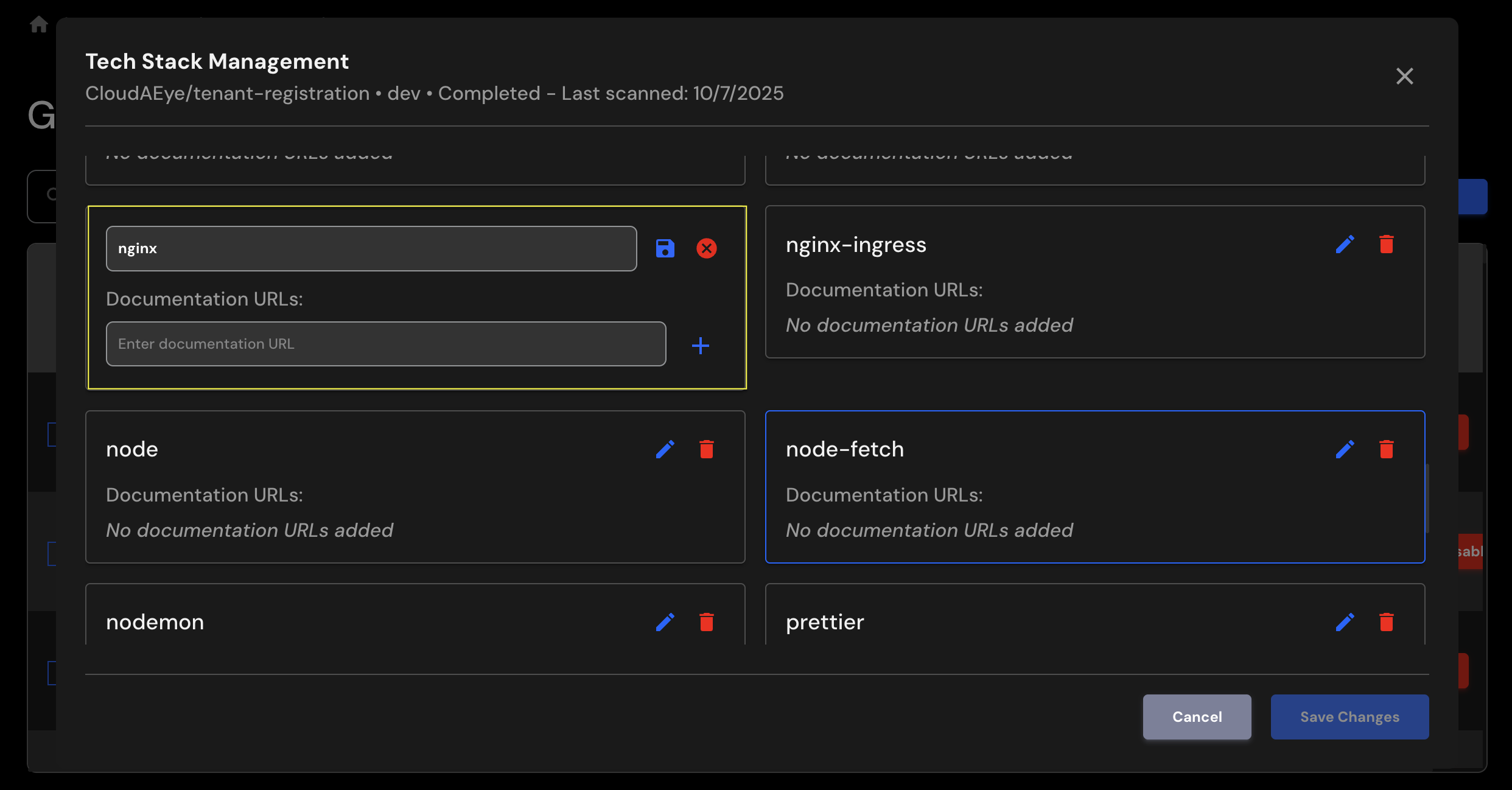
For the above example, you may point to https://nginx.org/en/docs/ for nginx documentation.
You can add one or more documentation URLs relevant to your technology stack.
Click on the Save icon to save the configured URL(s).
Delete
To remove a technology that you no longer use in a repository, simply click on the trash icon to remove it.