actionlint
This guide explains how to run actionlint with CloudAEye.
Overview
actionlint is a static analysis tool for GitHub Actions workflow files. It helps developers catch syntax errors, misconfigurations, and common mistakes in YAML workflow files before they are executed, improving reliability and preventing failed workflows.
Why Use actionlint?
- YAML validation: Detects syntax errors and structural issues in GitHub Actions workflows.
- Best-practice enforcement: Identifies common pitfalls and recommends improvements for workflow steps, jobs, and triggers.
- Security checks: Warns about potentially unsafe practices in workflows, such as using untrusted actions.
- Integration-friendly: Can be run from the command line, integrated into CI/CD pipelines, or used in pre-commit hooks.
- Lightweight and fast: Runs quickly on local machines or in automated environments, enabling rapid feedback.
actionlint is ideal for teams and developers who want to maintain robust, error-free GitHub Actions workflows and enforce best practices in automated pipelines.
Prerequisites
Step 1: Register
Sign up with CloudAEye SaaS.
Step 2: Setup Code Review
Setup Code Review by following the Getting Started guide.
Step 3: Configure the Linter
Configure the desired linter.
Configuration
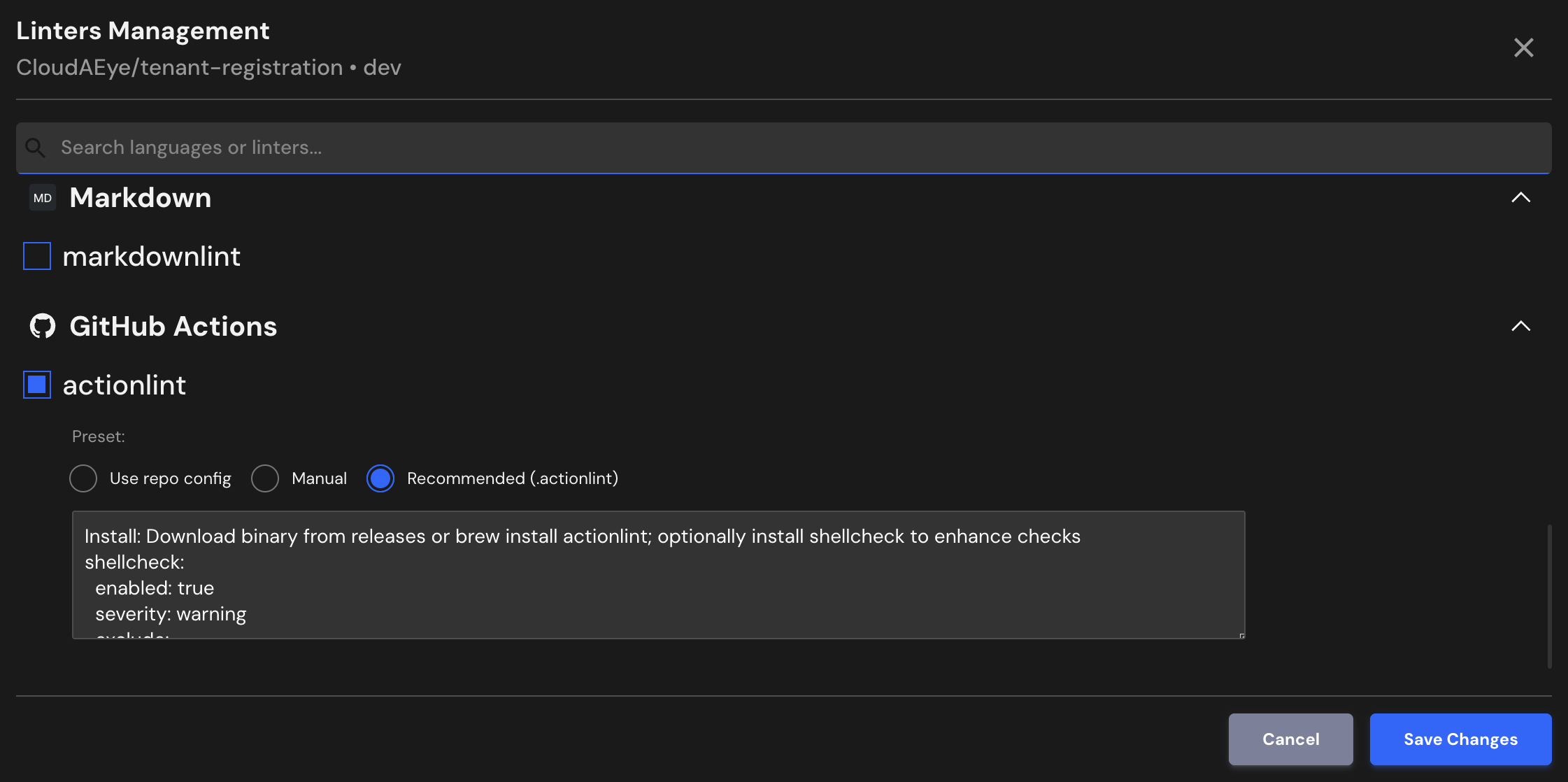
CloudAEye supports a recommended configuration for actionlint.
If your repository already has actionlint configured, CloudAEye will automatically use that setup. You may also enter your desired configuration.
Use repo config
CloudAEye automatically reads your repository’s existing actionlint configuration and uses it as is. No additional setup is needed.
Common actionlint Configuration File Locations & Formats
actionlint is a linter for GitHub Actions workflow files, and it is designed to work without requiring a separate configuration file by default. It performs static analysis based directly on the workflow YAML files (.github/workflows/*.yml).
actionlint automatically checks all workflow files in .github/workflows/ for syntax errors, misconfigurations, and best-practice violations.
Unlike many linters, actionlint does not use a dedicated config file like .actionlintrc, making it simpler to use and integrate.
Manual
You may enter the actionlint configuration you would like to use.
Recommended (.actionlint)
Install: Download binary from releases or brew install actionlint; optionally install shellcheck to enhance checks
shellcheck:
  enabled: true
  severity: warning
  exclude:
    - SC1091
paths:
  ignore:
    - ".github/workflows/legacy/*"
File Extensions
actionlint look for GitHub Action files specifically in the following directory:
.github/workflows/**/*.yml, .github/workflows/**/*.yaml
References
- actionlint project
- actionlint documentation