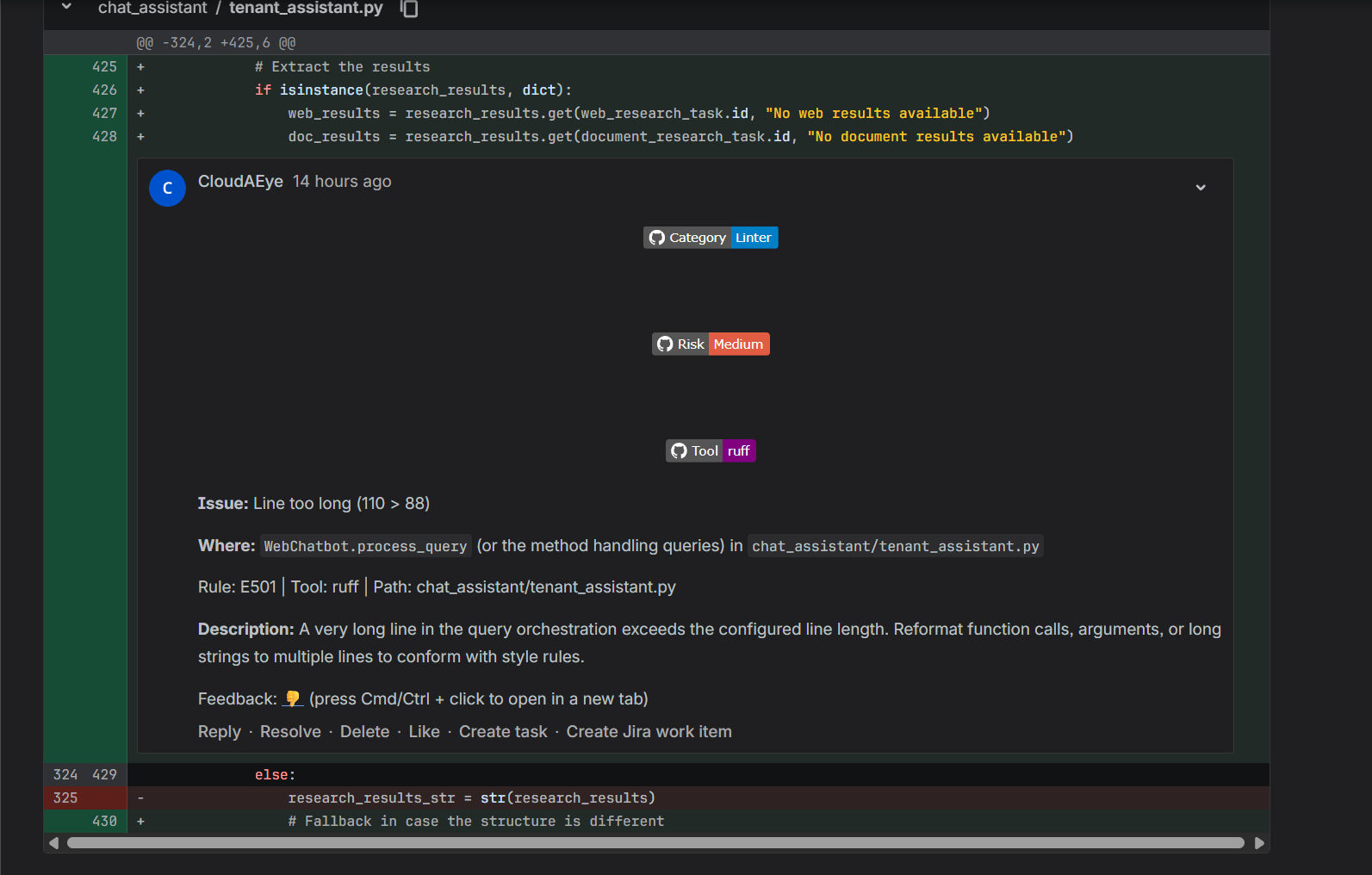
Linters
This guide explains how to run linters as part of the code review process.
Overview
CloudAEye integrates with third-party linters to deliver a more comprehensive code review experience. By incorporating linting best practices, such as style consistency, error detection, and maintainability checks, you can keep your codebase cleaner, more readable, and easier to maintain.
Prerequisites
Step 1: Register
Sign up with CloudAEye SaaS.
Step 2: Install GitHub App
Integrate with GitHub by installing the GitHub app.
Step 3: Connect Github Repositories
Connect the repositories where you would like to use CloudAEye Code Review features.
Supported Linters
CloudAEye supports a wide range of linters for your programming needs.
| Area | Linter Name | Supported Configuration |
|---|---|---|
| JavaScript | ESLint | See ESLint |
| Biome | See Biome | |
| TypeScript | ESLint | See ESLint |
| Biome | See Biome | |
| Python | Ruff | See Ruff |
| Pylint | See Pylint | |
| Flake8 | See Flake8 | |
| Go | GolangCI-Lint | See GolangCI-Lint |
| Java | Checkstyle | See Checkstyle |
| Kotlin | detekt | See detekt |
| ktlint | See ktlint | |
| Docker | Hadolint | See Hadolint |
| Bash | ShellCheck | See ShellCheck |
| Yaml | yamllint | See yamllint |
| Markdown | markdownlint | See markdownlint |
| GitHub Actions | actionlint | See actionlint |
Configure a Linter
- In the Code Review left navigation, go to Integrations.
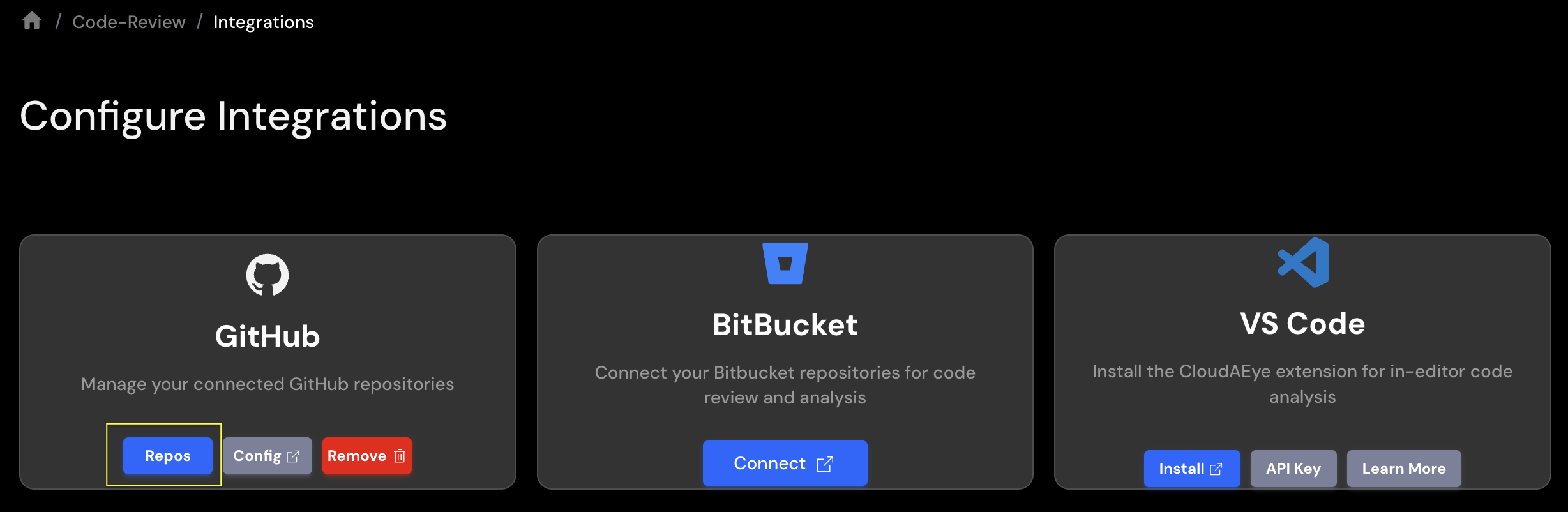
-
Select
Reposfor your connected code repository platform. -
If you are using GitHub, you will be taken to the GitHub Repositories page.
-
Expand the Integrated Repositories section.
-
In the Linters column, click the link for the repository you want to configure.
-
This opens the Linters Management page. Select the linter you want to enable or adjust.
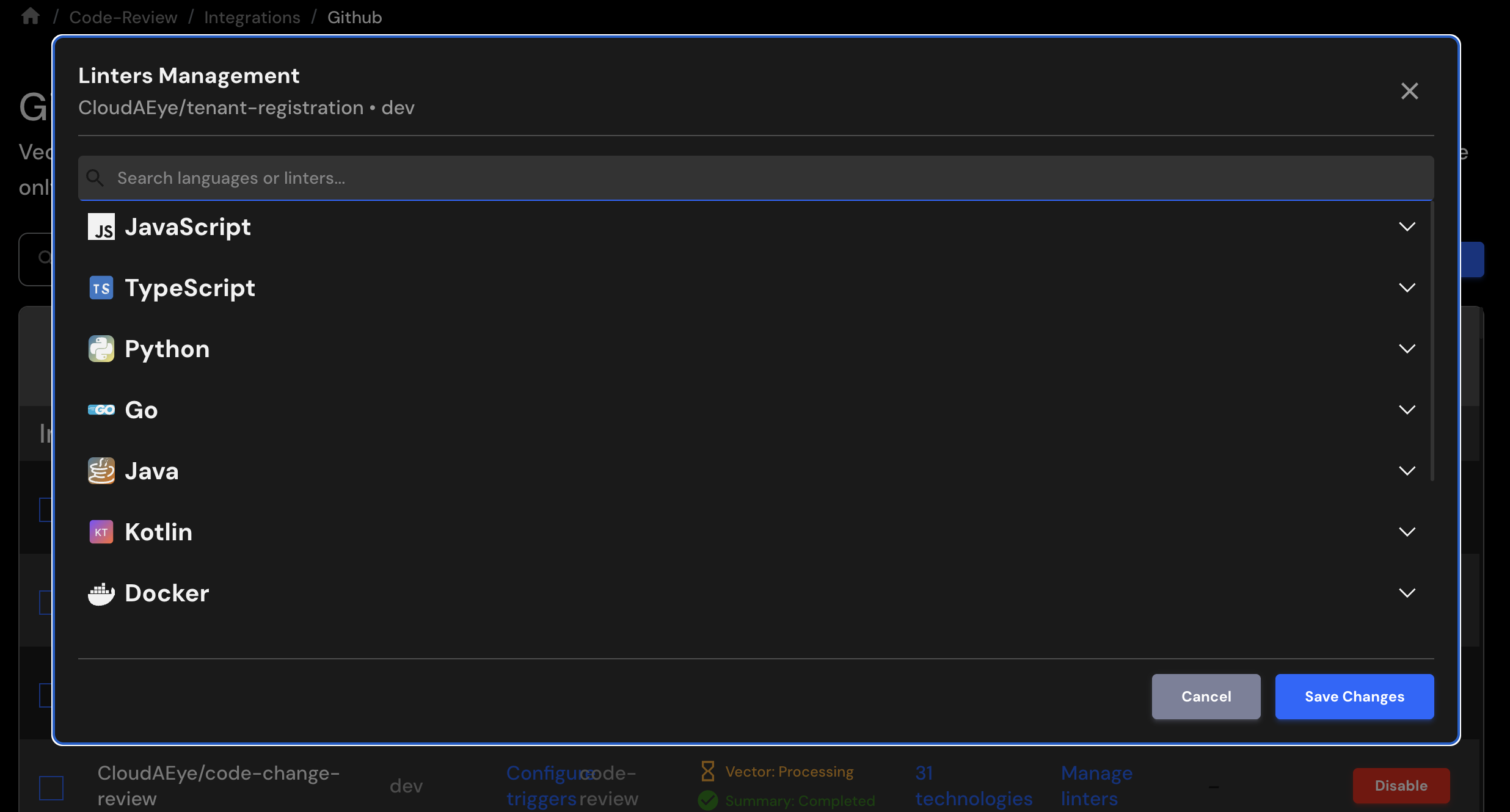
- Click Save Changes to apply your configuration.
Example Output
When the linter detects an issue, CloudAEye includes the results in the Code Review output. All linter findings are aggregated and displayed together in the "Linter Findings" group.
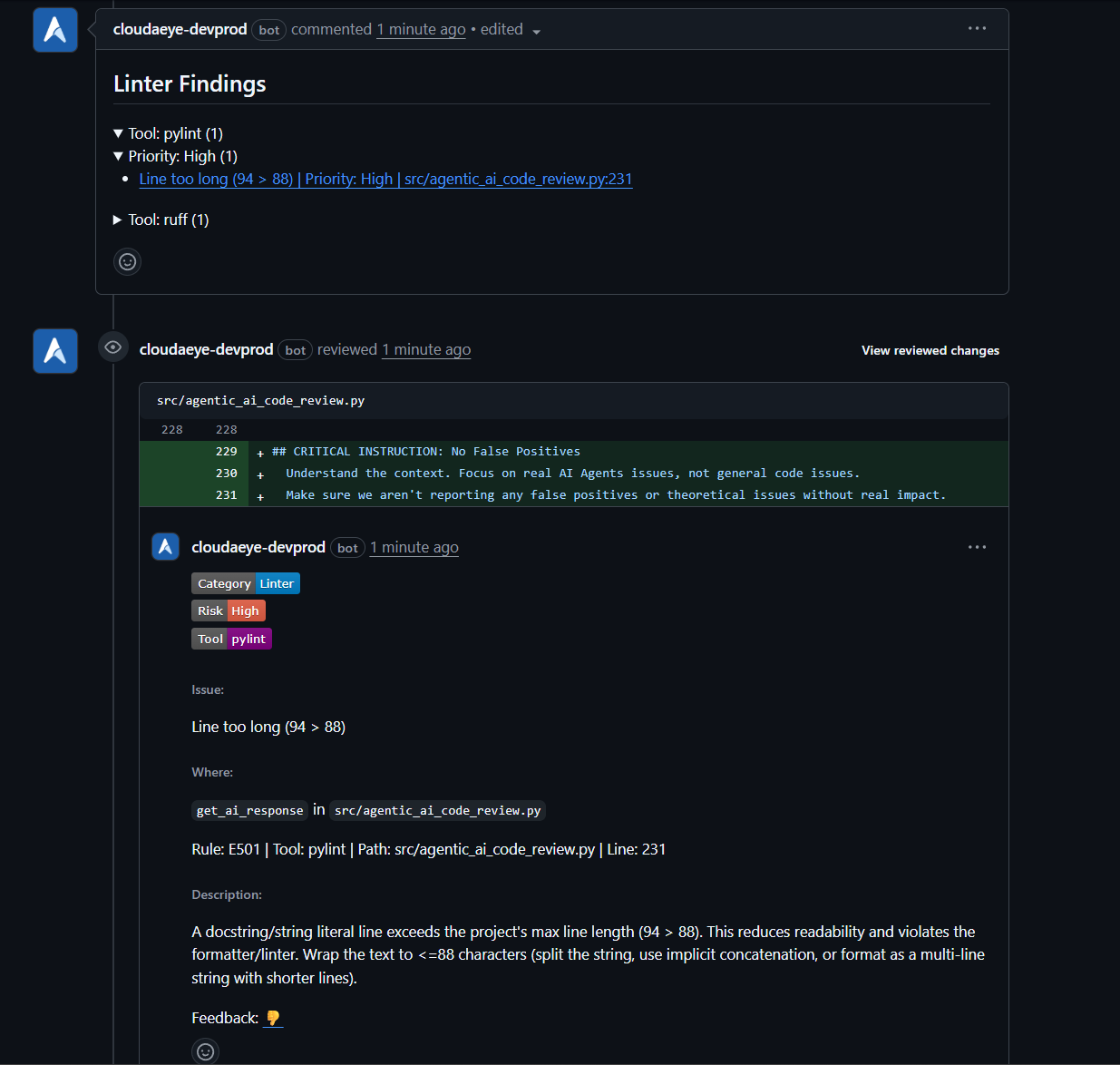
Here is a sample of what the output looks like in a Bitbucket environment.