Hadolint
This guide explains how to run Hadolint with CloudAEye.
Overview
Hadolint is an open-source linter specifically designed for Dockerfiles. Written in Haskell, it helps developers catch syntax issues, security risks, and inefficiencies by enforcing Dockerfile best practices.
Why Use Hadolint?
- Build Better Images: Hadolint parses your Dockerfile as an Abstract Syntax Tree (AST), allowing it to apply rules that go beyond simple text matching.
- Security and Performance Checks: It warns about common pitfalls like using
latesttags, running as root, or bloated instructions, helping you build more secure and efficient images. - Shell Script Validation: By integrating with ShellCheck, Hadolint can lint Bash code inside
RUNcommands. - Fast and Lightweight: It runs quickly and can be used locally or in CI, adding minimal overhead to your workflows.
- Highly Configurable: Use a
.hadolint.yamlfile to enable or disable rules, define trusted registries, or set severity thresholds. - Flexible Deployment: Install it as a binary or run it in a container, making integration easy across different platforms and environments.
Prerequisites
Step 1: Register
Sign up with CloudAEye SaaS.
Step 2: Setup Code Review
Setup Code Review by following the Getting Started guide.
Step 3: Configure the Linter
Configure the desired linter.
Configuration
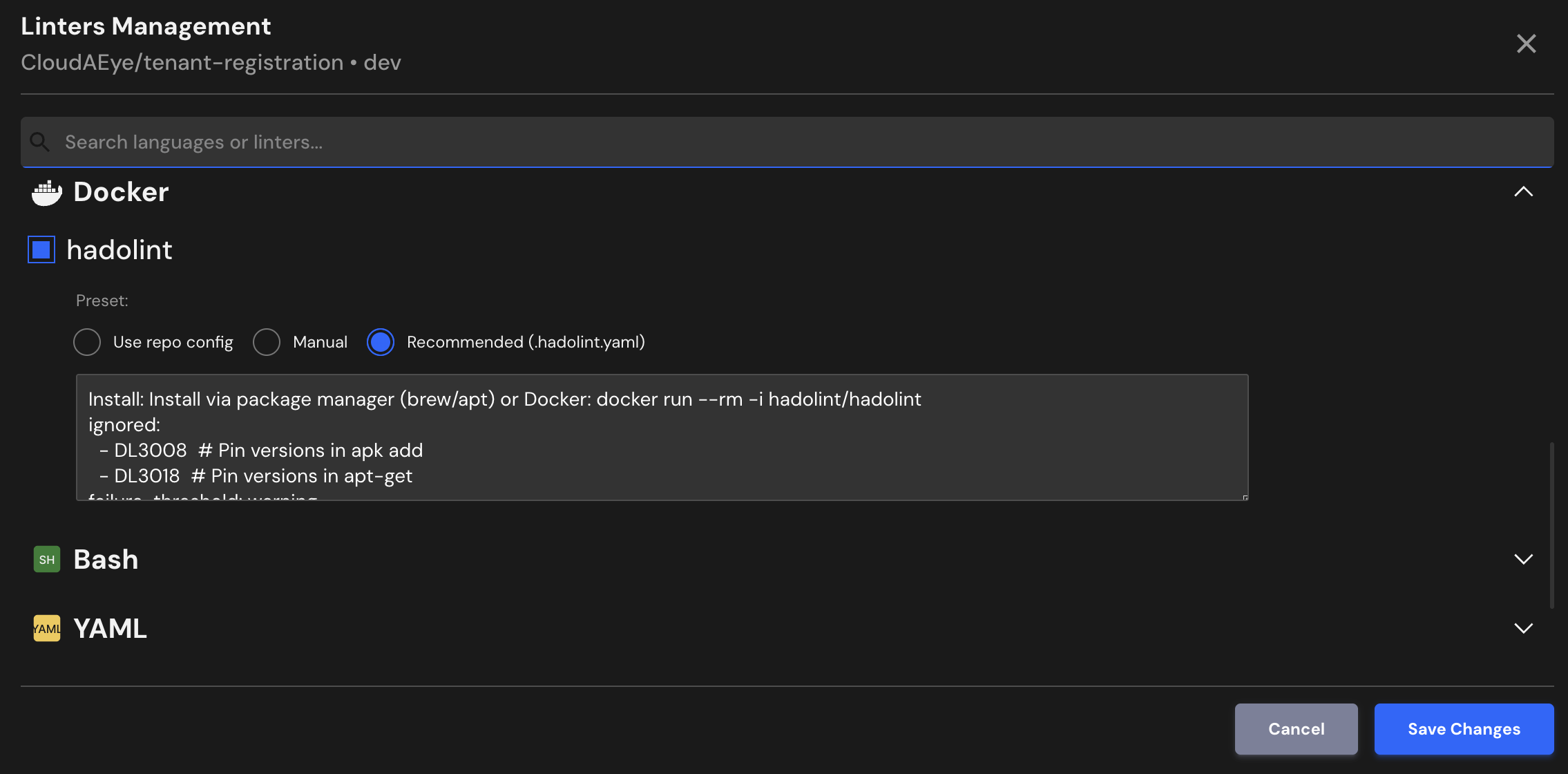
CloudAEye supports a recommended configuration for Hadolint.
If your repository already has Hadolint configured, CloudAEye will automatically use that setup. You may also enter your desired configuration.
Use repo config
CloudAEye automatically reads your repository’s existing Hadolint configuration and uses it as is. No additional setup is needed.
Common Hadolint Configuration File Locations & Formats
1. .hadolint.yaml or .hadolint.yml (Recommended)
Place this file in the root of your repository. Hadolint will automatically detect and load it when linting your Dockerfiles.
2. Inline in the Dockerfile (limited use)
Some rules can be disabled directly in the Dockerfile using comments, for example:
# hadolint ignore=DL3008
RUN apt-get update && apt-get install -y curl
Manual
You may enter the Hadolint configuration you would like to use.
Recommended (.hadolint.yaml)
Install: Install via package manager (brew/apt) or Docker: docker run --rm -i hadolint/hadolint
ignored:
  - DL3008  # Pin versions in apk add
  - DL3018  # Pin versions in apt-get
failure-threshold: warning
override:
  error:
    - DL3003  # Use WORKDIR to cd into directory
File Extensions
Hadolint will run on files that use any of the following extensions:
Dockerfile, *.dockerfile, Dockerfile.*
References
- Hadolint project
- Hadolint documentation