Code Review - Dashborad
This guide explains how to view code review activities for your configured repositories.
Prerequisites
Step 1: Register
Sign up with CloudAEye SaaS.
Step 2: Setup Code Review
Setup Code Review by following the Getting Started guide.
View Code Review Activities
From the left navigation, select Code Review. You will see a table that shows recent code review activities.
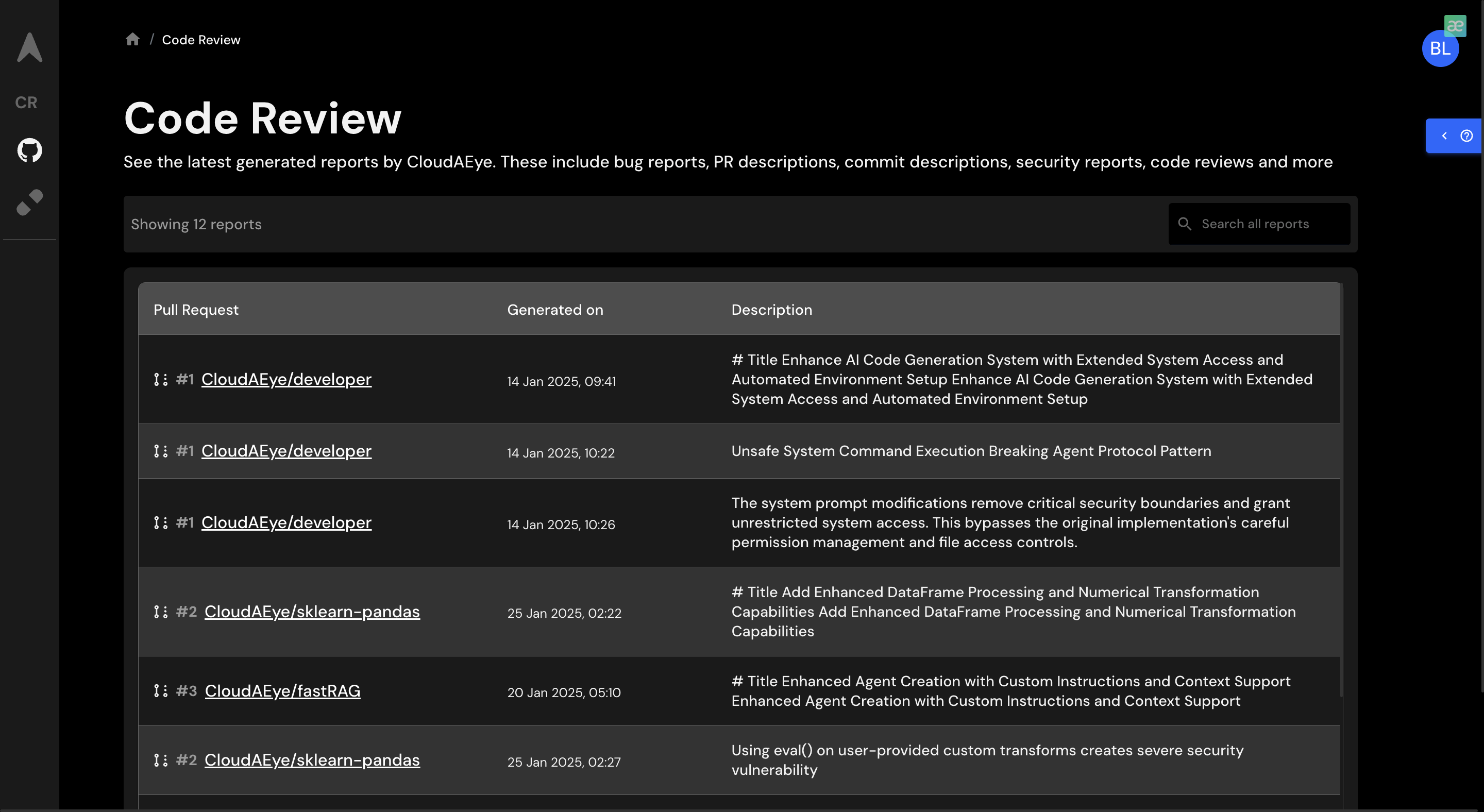
The table shows the following details:
- Source column displays where the code review request is requested. For example, GitHub, Bitbucket, VS Code, etc.
- Pull Request/Project column displays details such as the pull request number, repository name, and a link to the pull request provided by GitHub. In the case of VS Code, it shows the name.
- Activity Type column shows the activities performed during code review.
- Status column shows the status of the code review request.
- Risk Level column shows the associated risk of the code review findings.
- Generated On column displays the timestamp of when this activity occurred.
- View Details button provides a detailed summary of the code review activity.
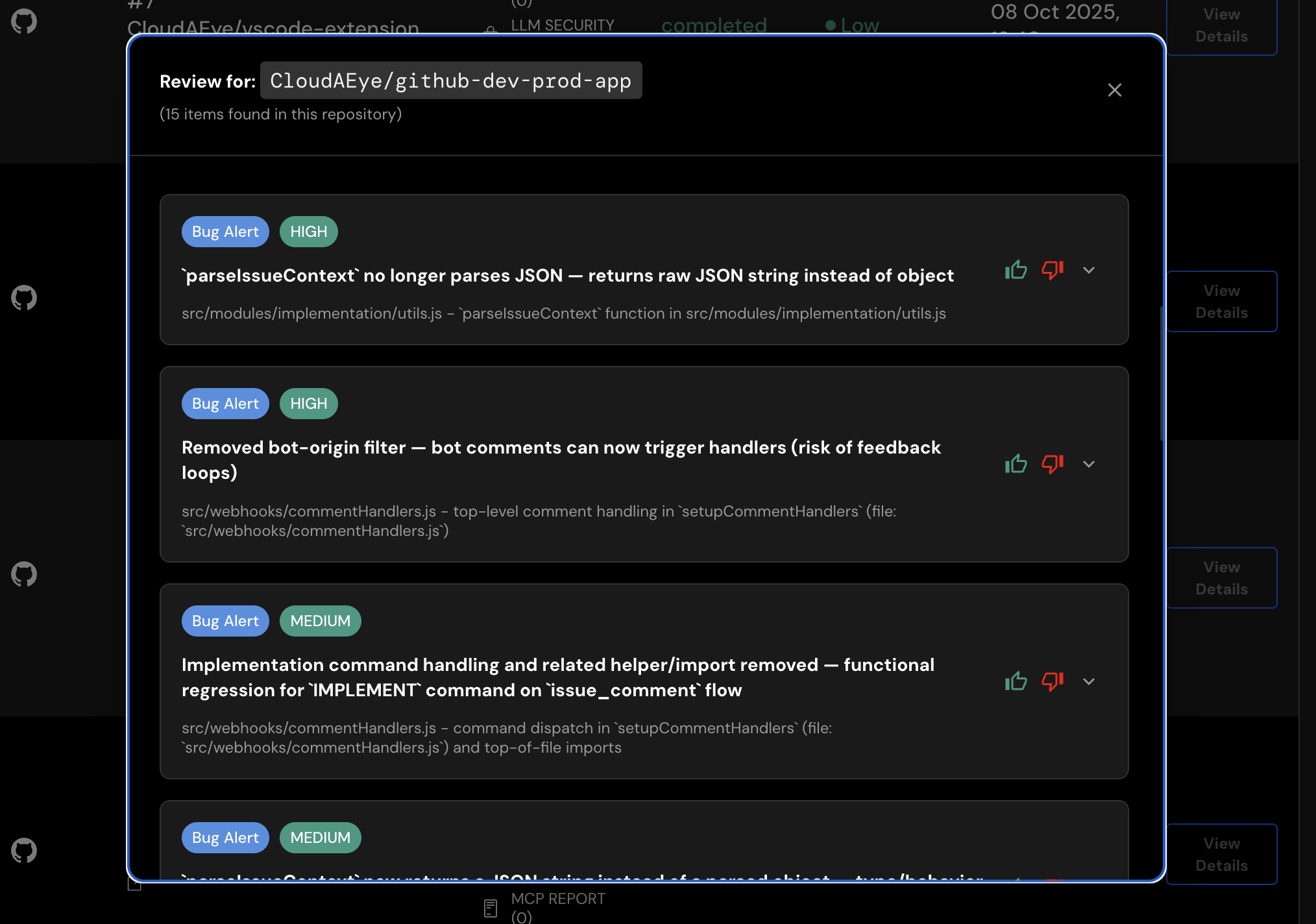
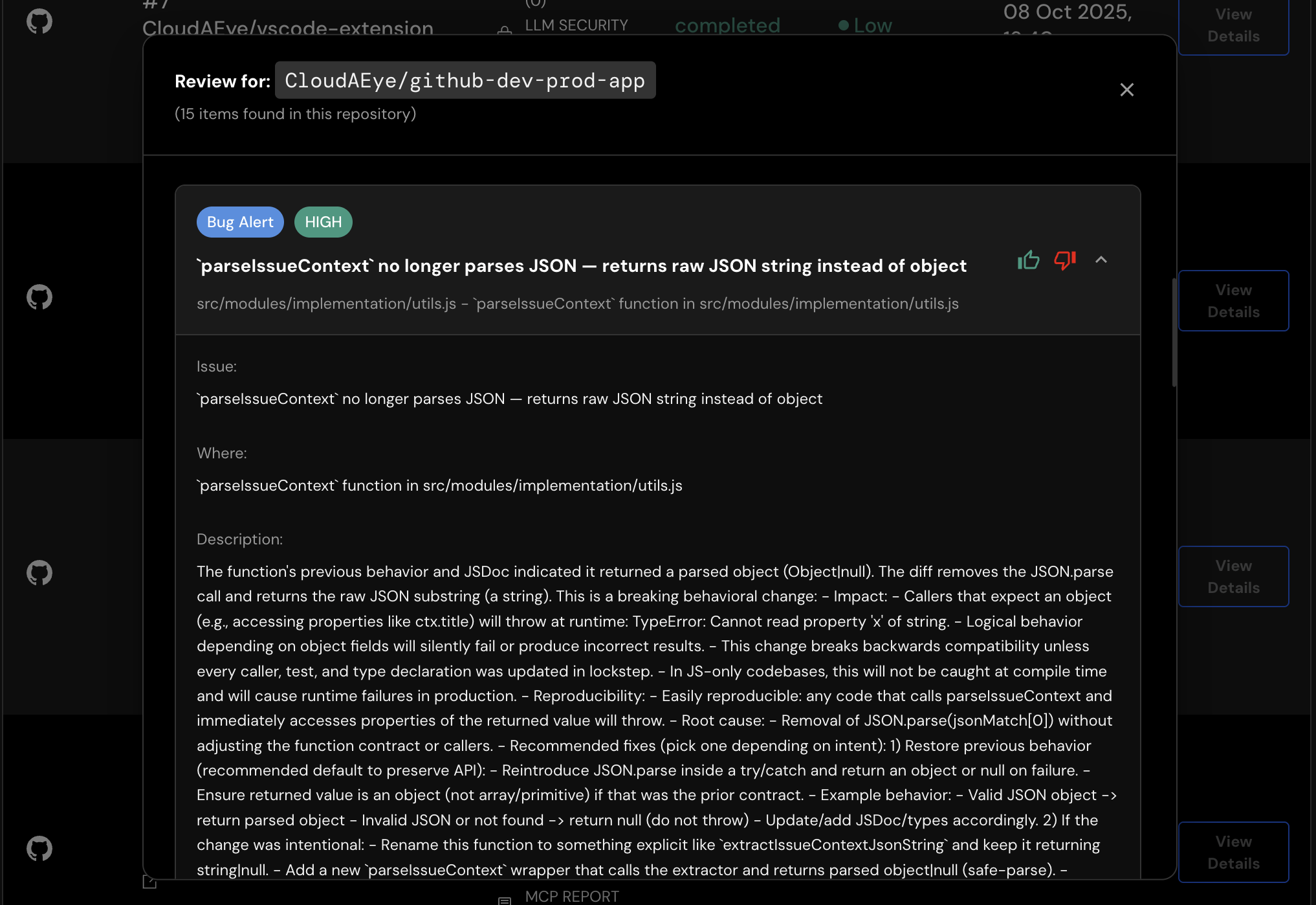
To view the details of an issue, click the toggle (“^”) button on the right.
Searching
In the top-right corner, you can search for specific activities by repository name in the table.
Filtering
You may filter the table based on the following:
- Date Range: Default is 14 days. You may customize this date range.
- Report Types: You may filter based on
AI Agent Security Report,LLM Security Report,Security Report, andBug Reportreport types. - Risk Levels: You may filter based on
Low,Medium, andHighlevels.
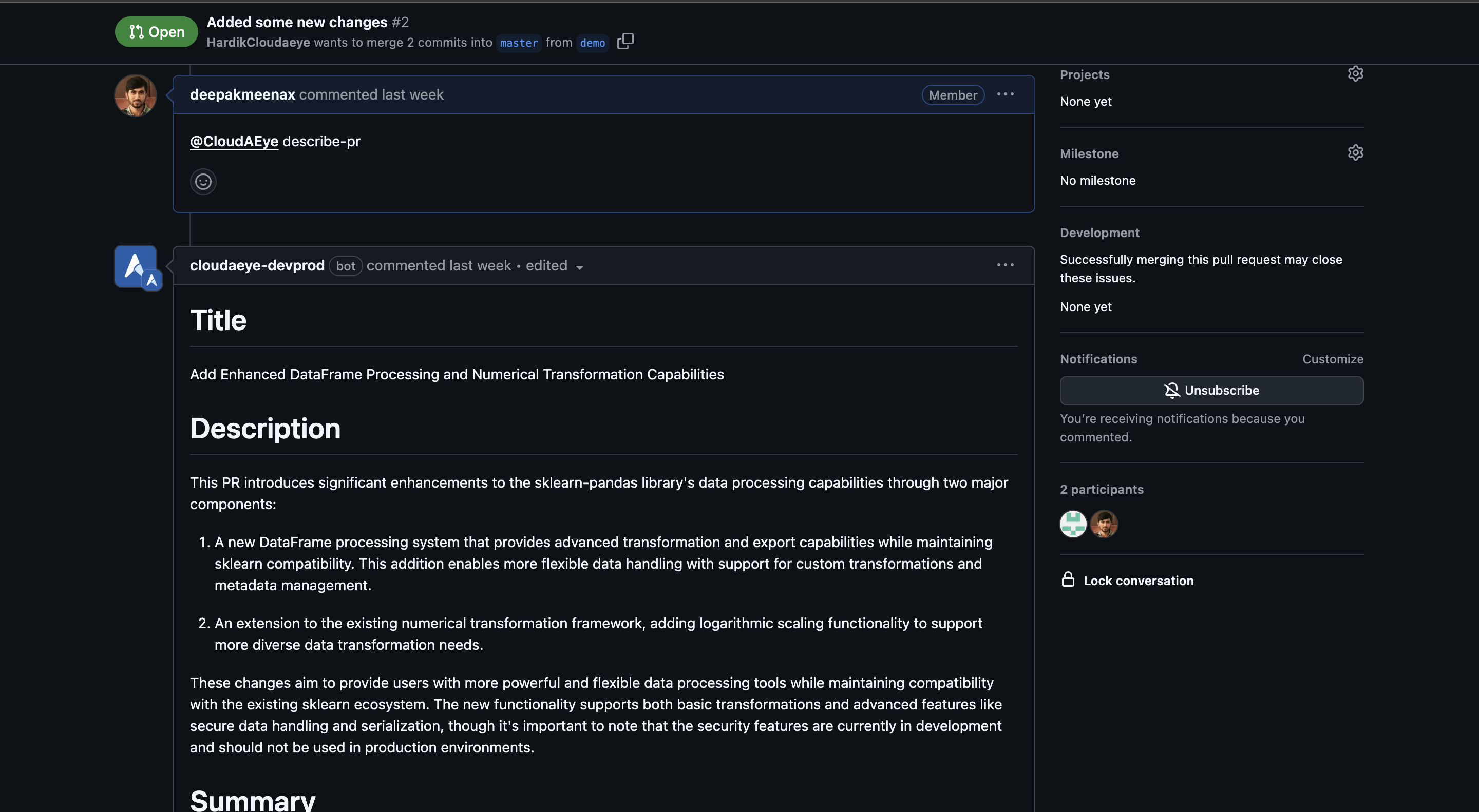
View Details of a PR
Click on the Pull Request (PR) in the second column to view details in the GitHub UI.
GitHub Repositories
From Code Review Home, click on the icon on the top right cornor. This will open a page that shows all the repositories currently configured for Code Review.
You may also access the GitHub repositories page from Integrations page. Click on the Repos button under GitHub to access the GitHub Repositories page.
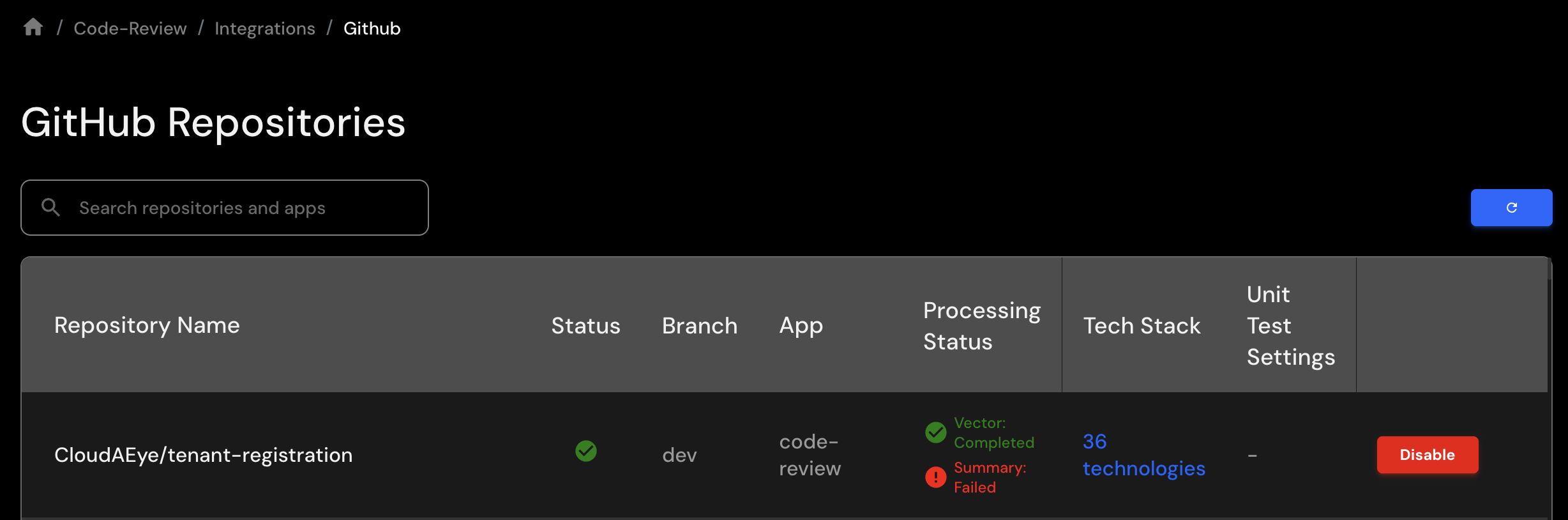
The table shows the following:
- Repository Name: Name of the configured repository.
- Status: All configured repositories shows a green check mark. If the repository is not configured, you will see a "-".
- Branch: Name of the code branch used to perform the code review.
- App: Name of the user's application this repository code belongs to.
- Processing Status: Status of repository indexing (vectorization and summary) generation. You may retry any failed indexing.
- Tech Stack: Discovered technology stacks used in this repository. You may add documentation URLs for these technologies to provide custom memory and context. CloudAEye uses the additional information during Code Review.
- Unit Test Settings: Unit test framework used while generating tests.
- Disable: Button to remove this repository from Code Review.