Code Review Settings
Overview
CloudAEye allows you to adjust Code Review speed and severity sensitivity. This page outlines how to configure these settings.
Prerequisites
Setup Code Review
Setup Code Review by following the Getting Started guide.
Setup VS Code Extension
Setup the VS Code Extension.
Code Review Configuration Settings
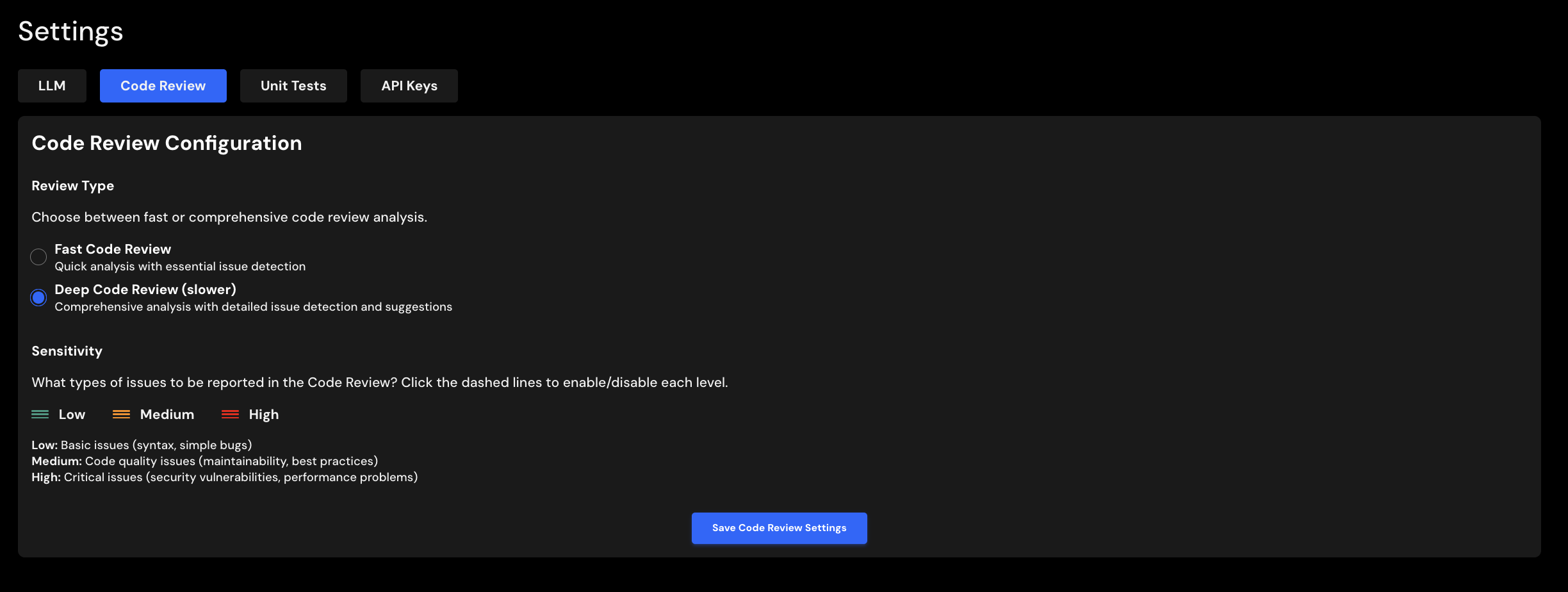
Review Type
CloudAEye provides two review modes:
- Fast Code Review – Delivers quick feedback by running only essential checks. Ideal when you need rapid responses to your code review requests.
- Deep Code Review – Performs a thorough, multi-agent analysis for the most accurate and insightful results. This takes longer but offers a differentiated, higher-quality outcome. Default option.
Select your preferred option and click Code Review Settings to save your changes.
Sensitivity Filter
You can filter reviews based on their review scores to focus on specific types:
- Low: Scores 2.0 or below. Select this to view reviews marked as
Low,Info, orNone. - Medium: Score of 3.0. Select this to view reviews with a
Mediumscore. - High: Scores 4.0 or 5.0. Select this to view reviews labeled
HighorCritical.
Click the Low, Medium, or High icons to toggle these options on or off. Then click Code Review Settings to save your changes.