detekt
This guide explains how to run detekt with CloudAEye.
Overview
detekt is a robust static analysis tool for Kotlin that helps uncover code smells, complexity issues, and potential bugs, making your codebase cleaner, more maintainable, and safer.
Why Use detekt?
- Highly configurable rule sets: Choose which rules to enable, suppress, or customize to match your team’s coding standards.
- Code smell detection: Detect anti-patterns, design issues, and code smells in your Kotlin code.
- Baseline support for legacy code: Generate a baseline to suppress existing findings and focus on preventing new ones.
- Suppression annotations: Use @Suppress to silence specific issues in your source when needed.
- Complexity metrics: Analyze your code’s complexity using metrics like cyclomatic complexity, lines of code, and number of code smells.
- Extensibility: Add your own custom rule sets or integrate community plugins to tailor analysis to your code style.
detekt is ideal for teams looking to enforce consistent, high-quality Kotlin code while integrating seamlessly into existing build systems like Gradle.
Prerequisites
Step 1: Register
Sign up with CloudAEye SaaS.
Step 2: Setup Code Review
Setup Code Review by following the Getting Started guide.
Step 3: Configure the Linter
Configure the desired linter.
Configuration
CloudAEye provides a best practices configuration for detekt.
If your repository already has detekt configured, CloudAEye will automatically use that setup. You may also enter your desired configuration.
Best Practices
1. Focus on high-signal rules
Avoid enabling every rule, it causes alert fatigue. Prioritize:
- Correctness: PotentialBug, ErrorProne, exceptions
- Maintainability: Complexity, Style, Naming
- Security: Security, EmptyCatchBlock
- Performance: Performance, UnnecessaryTemporaryInstantiation
2. Use baselines for legacy code
If you’re adding detekt to an existing repo, use:
detekt --build-upon-default-config --baseline detekt-baseline.xml
Then clean up incrementally.
Use repo config
CloudAEye automatically reads your repository’s existing detekt configuration and uses it as is. No additional setup is needed.
Common detekt Configuration File Locations & Formats
- Primary config file:
detekt.yml- This file controls rules, style checks, thresholds, reporting, and suppression settings. - Location: Usually placed at the project root, but you can store multiple config files and merge them if needed.
- Defaults: You can generate a starter config using:
detekt generate-config - Additional Notes: detekt also works with baseline files (
baseline.xml) to ignore existing issues while enforcing rules on new code.You can specify the config file(s) through Gradle, CLI, or CI pipelines.
Manual
You may enter the detekt configuration you would like to use.
Gradle Kotlin DSL (recommended)
Install: plugins { id("io.gitlab.arturbosch.detekt") version "" } or Gradle plugin portal; add detekt-formatting plugin dependency
// build.gradle.kts (root)
plugins {
  id("io.gitlab.arturbosch.detekt") version ""
}

detekt {
  buildUponDefaultConfig = true
  parallel = true
  autoCorrect = false
  config.setFrom(files("$rootDir/config/detekt.yml"))
  baseline = file("$rootDir/config/baseline.xml")
  jvmTarget = "1.8"
}

dependencies {
  detektPlugins("io.gitlab.arturbosch.detekt:detekt-formatting:")
}
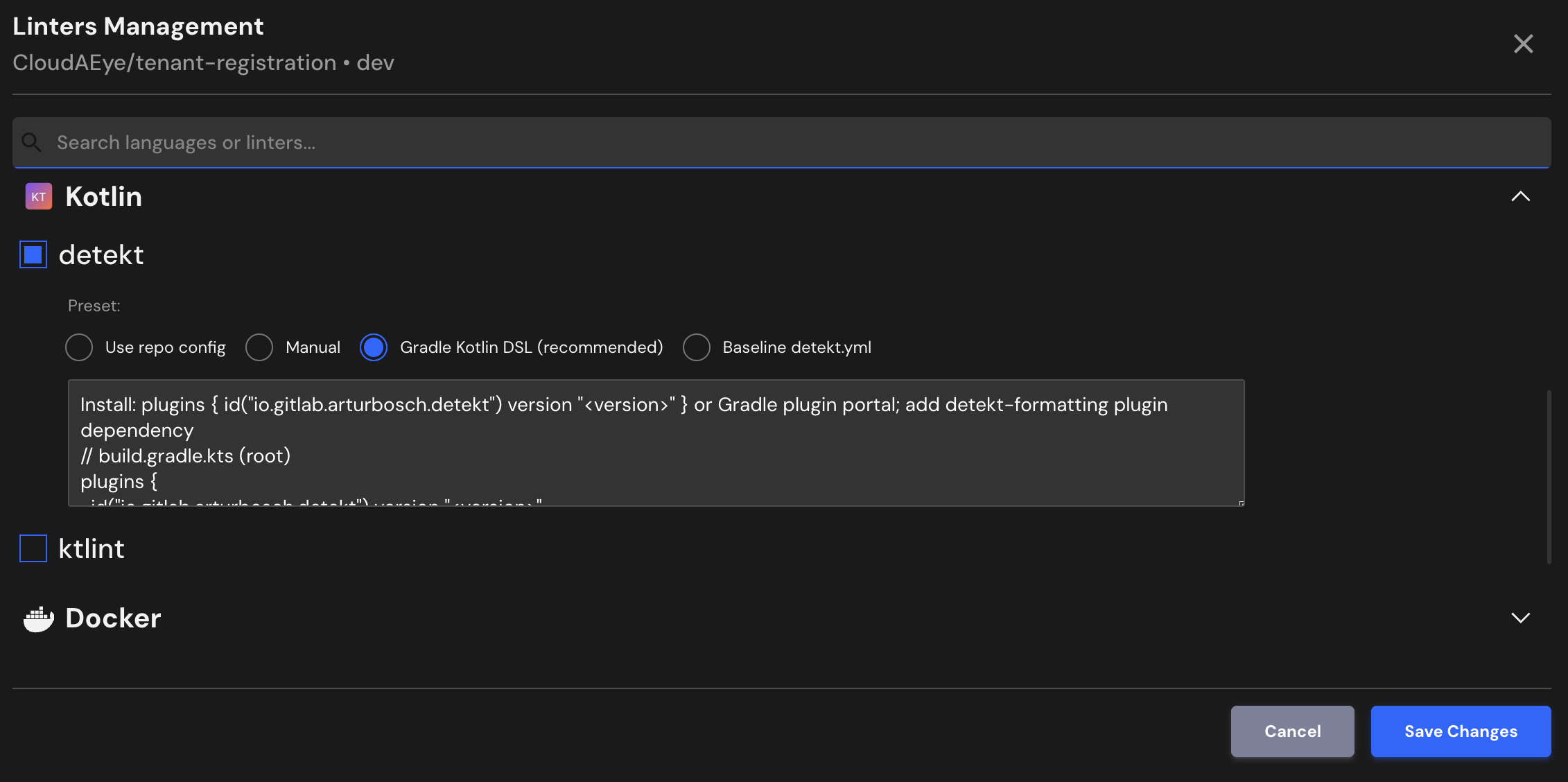
Baseline detekt.yml
Install: Create config/detekt.yml at repo root and reference it via Gradle detekt block
# config/detekt.yml
build:
  maxIssues: 10
  weights:
    complexity: 2
    LongParameterList: 1
    style: 1
config:
  validation: true
  warningsAsErrors: false
  checkExhaustiveness: true
processors:
  active: true
console-reports:
  active: true
  exclude: [ 'ProjectStatisticsReport', 'ComplexityReport', 'NotificationReport' ]
output-reports:
  active: true
  include: [ 'HtmlOutputReport', 'XmlOutputReport' ]
comments:
  active: true
  AbsentOrWrongFileLicense:
    active: false
  CommentOverPrivateFunction:
    active: false
naming:
  active: true
  VariableNaming:
    active: true
    variablePattern: '[a-z][A-Za-z0-9]*'
  FunctionNaming:
    active: true
    functionPattern: '[a-z][A-Za-z0-9]*'
  ClassNaming:
    active: true
    classPattern: '[A-Z][a-zA-Z0-9]*'
style:
  active: true
  MagicNumber:
    active: true
    ignoreNumbers: ['0', '1', '-1']
    ignoreHashCodeFunction: true
  WildcardImport:
    active: true
    excludeImports: ['java.util.*', 'kotlinx.coroutines.*']
  MaxLineLength:
    active: true
    maxLineLength: 120
  UnusedPrivateMember:
    active: true
  OptionalUnit:
    active: true
  ReturnCount:
    active: true
    max: 3
complexity:
  active: true
  LongMethod:
    threshold: 40
  ComplexCondition:
    threshold: 4
  LargeClass:
    threshold: 600
  TooManyFunctions:
    thresholdInClass: 15
  NestedBlockDepth:
    threshold: 4
  CognitiveComplexMethod:
    threshold: 20
performance:
  active: true
  ForEachOnRange:
    active: true
  UnnecessaryTemporaryInstantiation:
    active: true
  SpreadOperator:
    active: true
potential-bugs:
  active: true
  DuplicateCaseInWhenExpression:
    active: true
  EqualsAlwaysReturnsTrueOrFalse:
    active: true
  LateinitUsage:
    excludeAnnotatedProperties: ['Inject']
  UselessPostfixExpression:
    active: true
exceptions:
  active: true
  SwallowedException:
    active: true
  TooGenericExceptionCaught:
    active: true
    excludes: ['IOException', 'TimeoutException']
  ThrowingExceptionFromFinally:
    active: true
security:
  active: true
  EmptyCatchBlock:
    active: true
    ignoreAnnotated: ['Test']
  InsecureRandomNumberGenerator:
    active: true
  HardCodedSecret:
    active: true
File Extensions
detekt will run on files that use any of the following extensions:
.kt, .kts
References
- detekt project
- detekt documentation