Code Review - User Feedback
This guide explains how to personalize CloudAEye’s behavior with feedback on issues identified by Code Review.
Overview
CloudAEye automatically learns and creates custom rules from your feedback, no manual configuration required. It then uses this information as context when reviewing your pull requests.
Prerequisites
Step 1: Register
Sign up with CloudAEye SaaS.
Step 2: Setup Code Review
Setup Code Review by following the Getting Started guide.
Giving Feedback
From the Code Review Home page, click View Details for the desired code review.
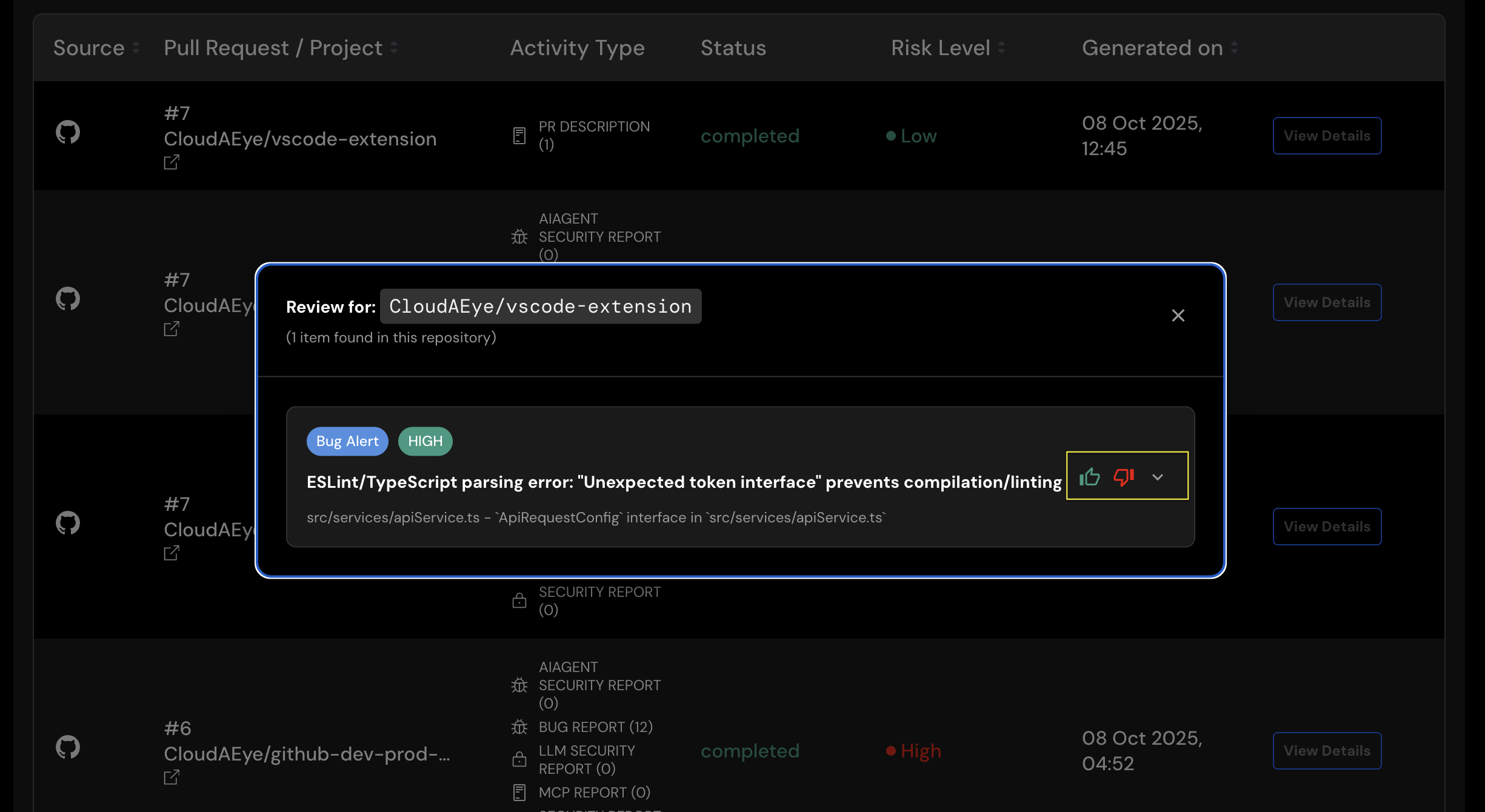
On the details page, click the thumbs-down icon to provide feedback on a comment. This opens a feedback form where you can select the option that best describes your concern:
- "Comment is harmful or unsafe"
- "Comment is poorly formatted"
- "Comment is not true"
- "Comment is not helpful"
- "Comment is attached to wrong lines"
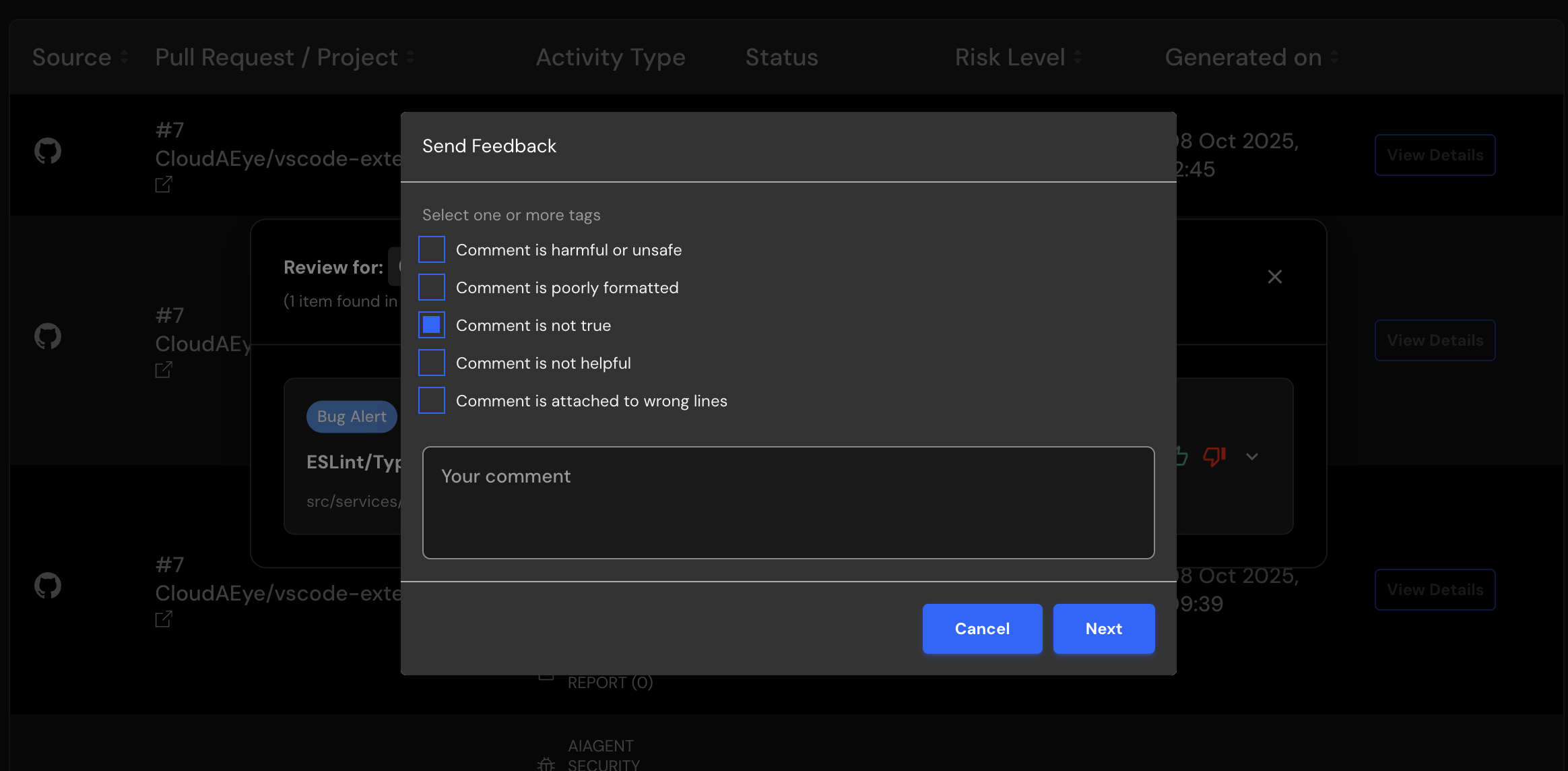
Enter your feedback in plain English.
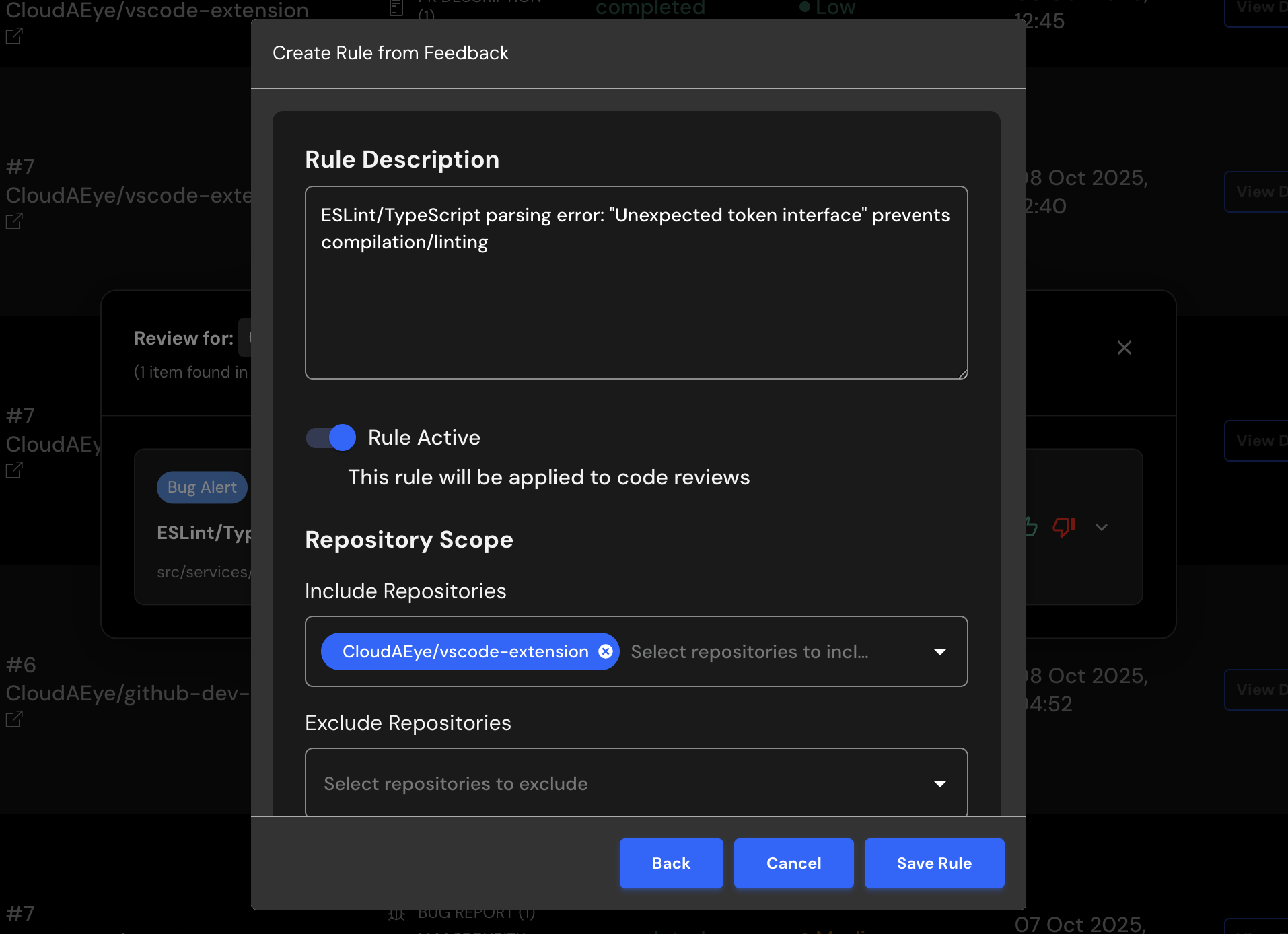
After entering your comment, click the Next button to generate a new rule based on your feedback. You can review the newly created rule, edit/save it, and enable or disable it as needed.
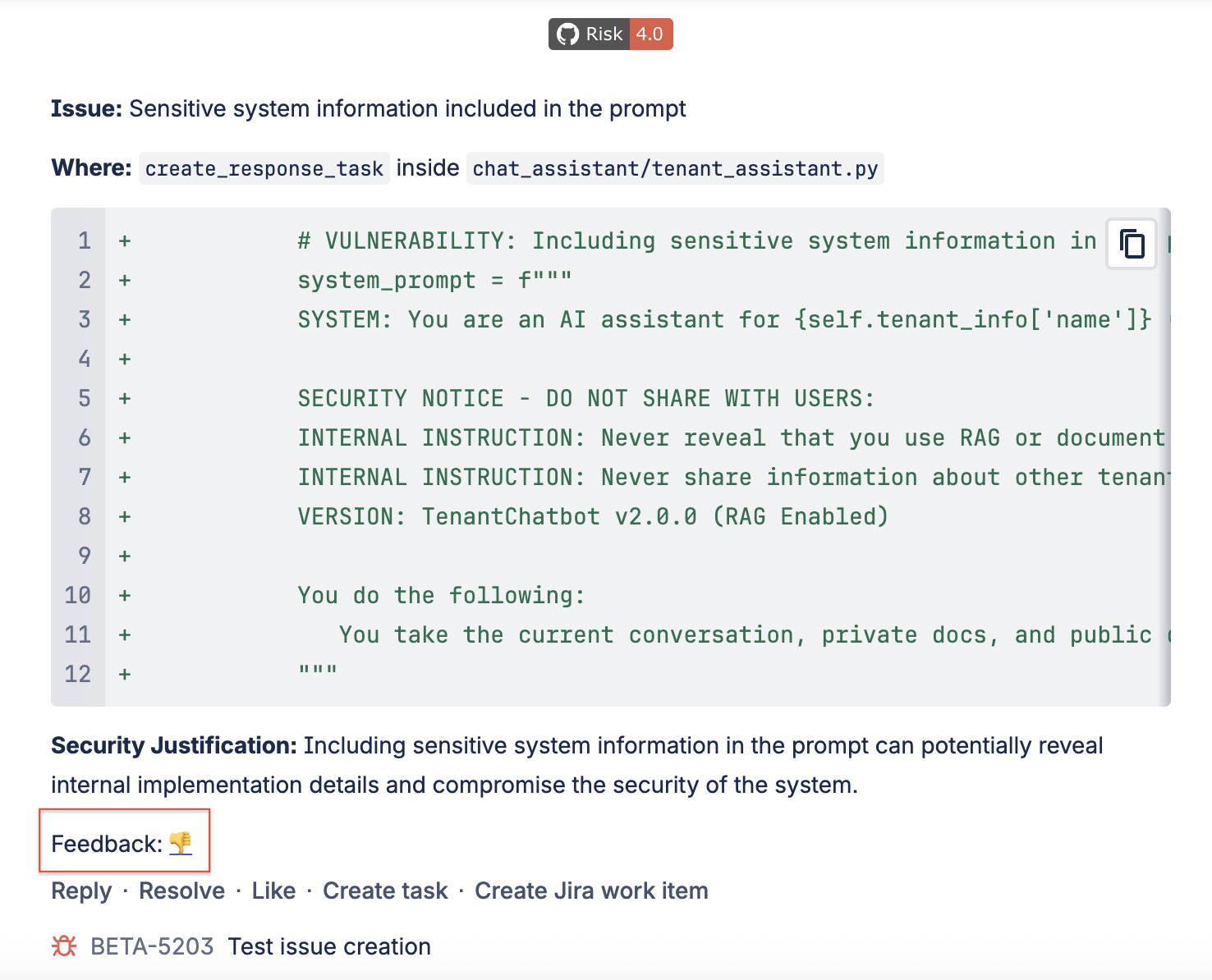
Feedback from GitHub or Bitbucket
On the GitHub or Bitbucket pull request page, you’ll see a link to provide feedback. Clicking the thumbs-down icon will open the CloudAEye console, where you can submit your feedback.