GitHub Personal Access Token (PAT)
This guide explains how to try CloudAEye using a GitHub personal access token when you do not have permission to install the CloudAEye GitHub App for your organization.
Overview
A personal access token (PAT) lets CloudAEye access the repositories you authorize through your GitHub account, without requiring you to install the GitHub App. This can be useful for evaluating CloudAEye while waiting for an organization administrator to approve app installation.
Use a fine-grained personal access token. PAT access is a alternative with limitations, not a replacement for the full GitHub App integration.
Prerequisites
- Register with CloudAEye and sign in to the console.
- Have access to the GitHub repositories you want to evaluate.
Your organization may restrict PAT access or require approval.
Connect with a PAT
Step 1: Create a Fine-Grained Token
- In GitHub, open Settings > Developer settings > Personal access tokens > Fine-grained tokens, then select Generate new token.
- Give the token a descriptive name, such as
CloudAEye Trial. - Select an Expiration appropriate for your evaluation. Choose the maximum expiration allowed by your organization.
- Select the Resource owner that owns the repositories, then allow access to repositories you want to evaluate.
- Under Repository permissions, grant the following permissions:
| Permission | Access |
|---|---|
| Contents | Read-only |
| Metadata | Read-only (included automatically) |
| Administration | Read and write |
| Commit statuses | Read and write |
| Pull requests | Read and write |
| Webhooks (repository hooks) | Read and write |
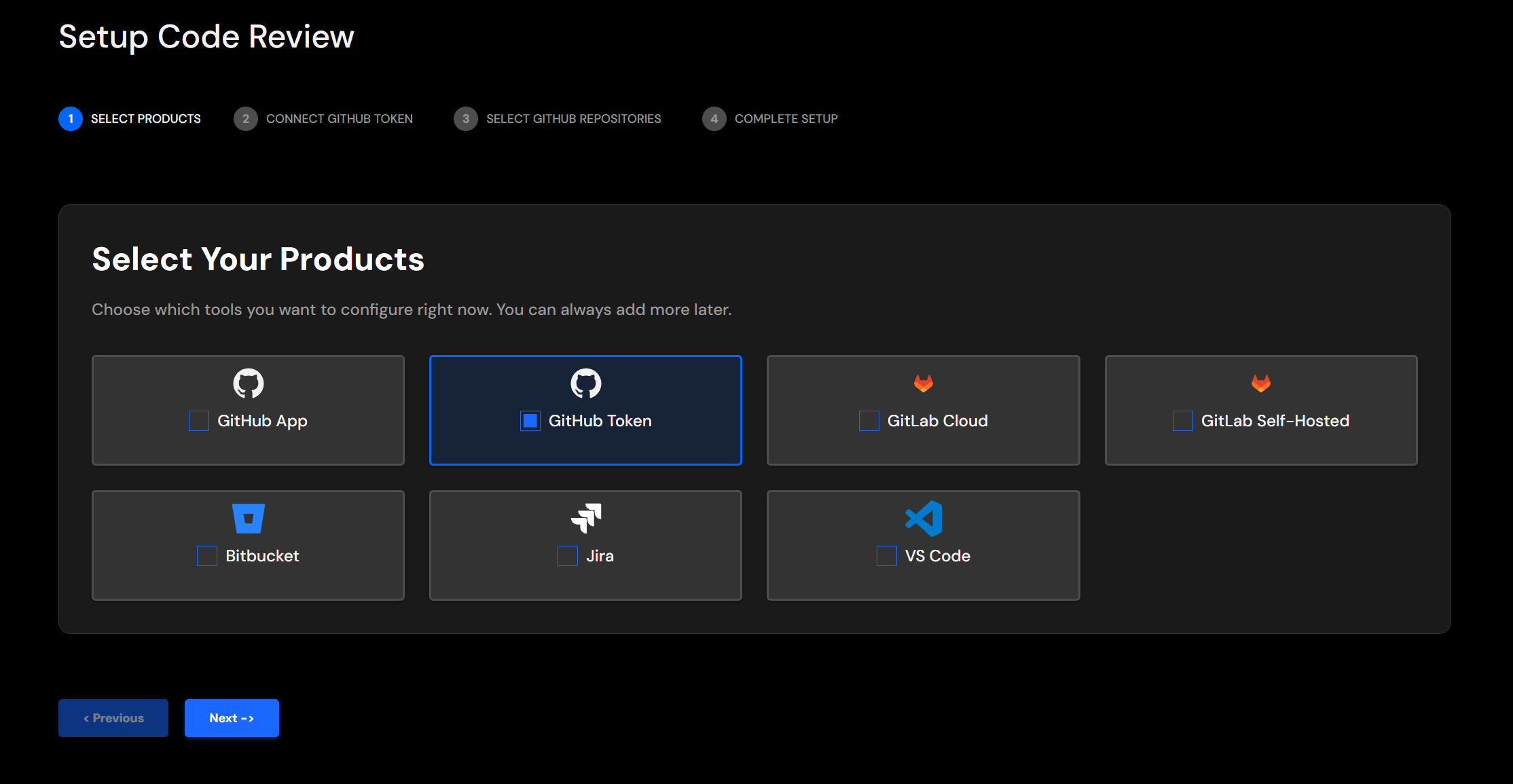
Step 2: Select GitHub Token
In Setup Code Review, select GitHub Token and click Next.
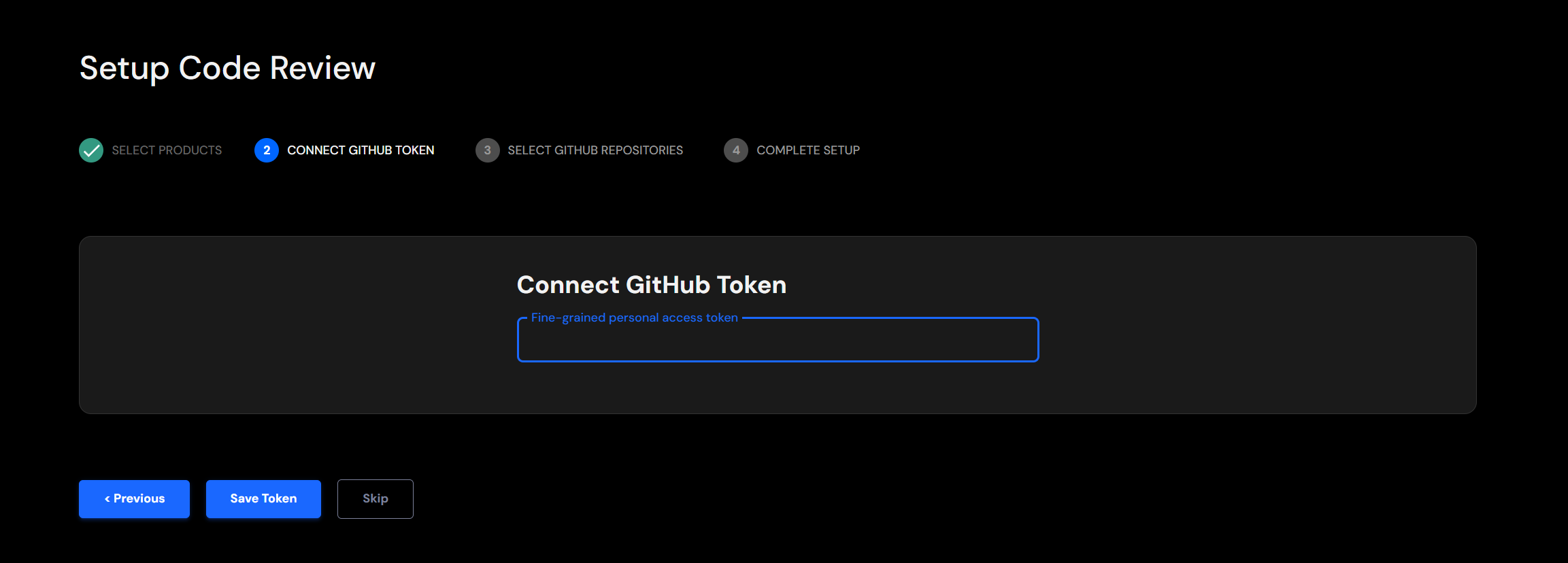
Step 3: Connect the GitHub Token
Paste the token and click Save Token.
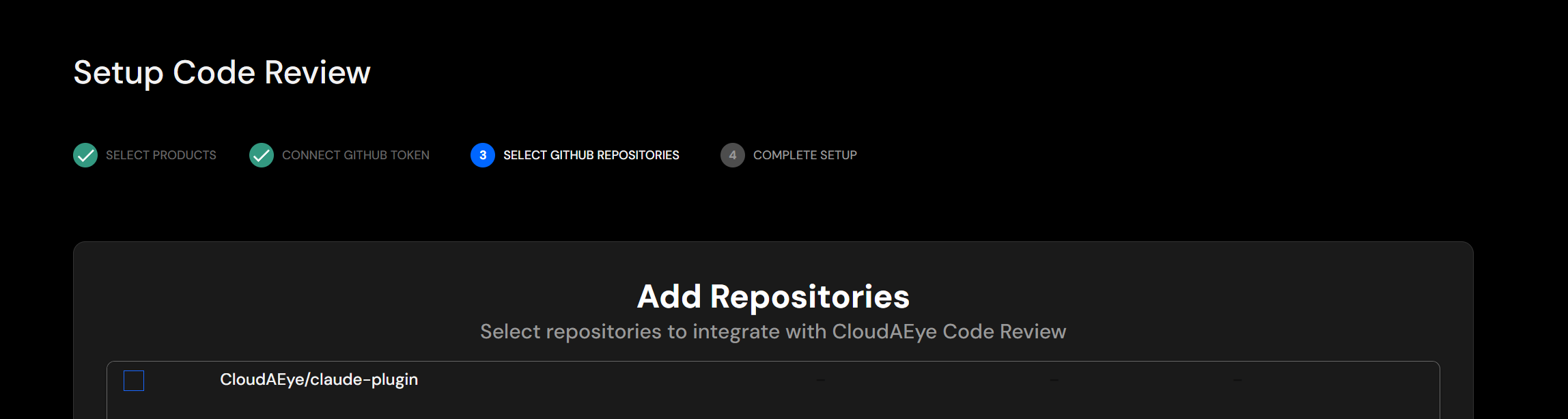
Step 4: Select GitHub Repositories
Select the repositories you want to integrate with CloudAEye Code Review.
Follow GitHub Repository Integration to select branches and App Names, then save the mapping.
Limitations
- Personal access: The token cannot grant more access than its owner has. Access can stop if the owner loses access to a repository.
- Organization approval: PAT restrictions and approval requirements still apply.
- Repository scope: Only authorized repositories and permissions are available through the token connection.